How to Set Any Video as a Live Wallpaper on macOS, Windows, and Android
Last updated: August 2026
Got a clip you want on your desktop? It takes about fifteen seconds. No account needed, nothing gets converted or uploaded, and the steps are the same on macOS, Windows and Android.
What you need
Two things: our app, and a clip.
Wallpaper Reactor is a free download for macOS, Windows and Android. There are accounts, and they’re worth having later — but you don’t need one for this. Everything below works signed out.
Then a video file. It takes all the common ones:
mp4 · webm · mov · avi · mkv · m4v · wmv
If you’ve got a GIF, that works too — GIFs are accepted here specifically, even though they aren’t allowed for wallpapers you publish.
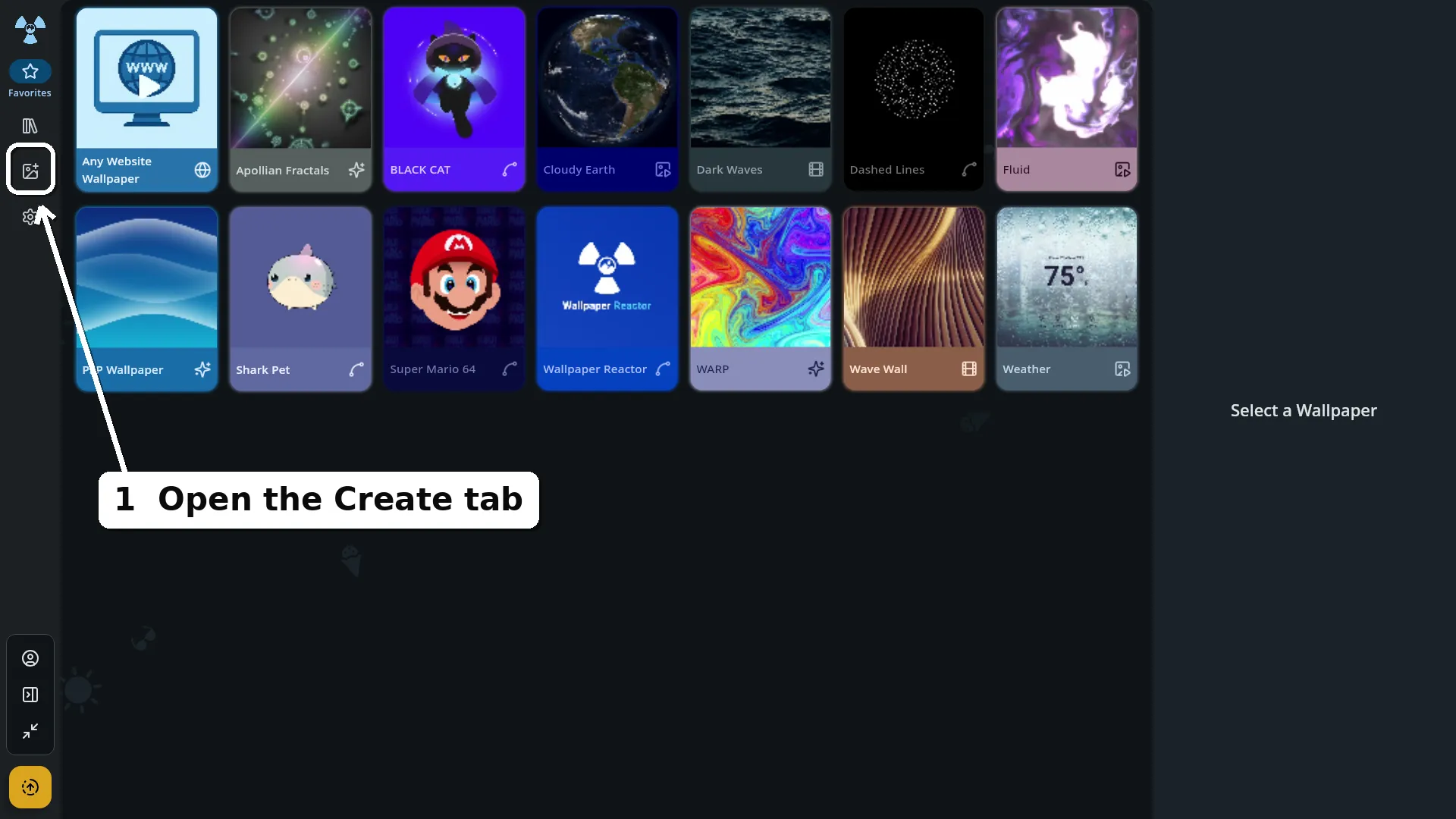
Open the Create tab
It’s the image icon in the left sidebar.
Import your video
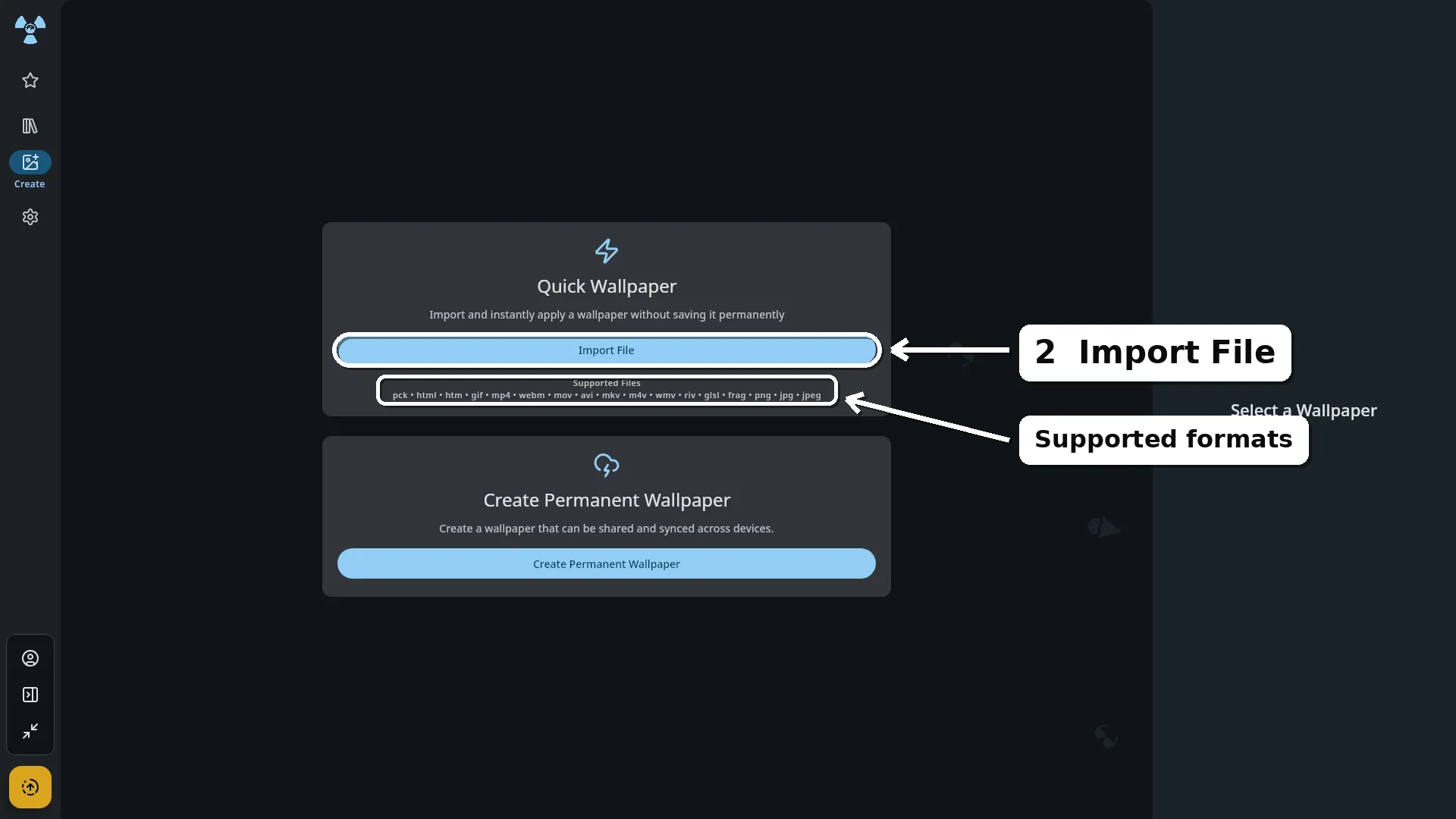
Pick Quick Wallpaper, hit Import File, and choose your clip. If you’re on a device with more than one monitor, you’ll pick which screen it goes on.
That’s it. Your video is live on the desktop, and it stays there until you replace it — closing the app or restarting your machine won’t undo it.
Why it’s instant
Nothing happens to your file. It isn’t re-encoded, compressed, or sent anywhere — it’s copied into the app’s own folder and played as it is. That’s why there’s no progress bar, no account prompt, and no need for an internet connection.
It also means the file you choose is the file that plays. A 400 MB 4K clip will work, but it’s still a 400 MB 4K clip sitting on your desktop, so a little care pays off:
- Keep it short. Ten to thirty seconds is plenty. You’re going to see it loop all day.
- Match your screen. A 1080p clip on a 1080p monitor looks the same as a 4K one and costs far less to play. This matters most on an older phone.
- Make the loop clean. A clip that ends where it started loops invisibly. One that doesn’t will jump every time it repeats.
Want it on all your devices?
A quick wallpaper lives on the machine you set it on. That’s the trade for how fast it is.
If you’re on a Mac, it’s also worth knowing what else the app will run there — interactive wallpapers, shaders and Godot scenes, not only video.
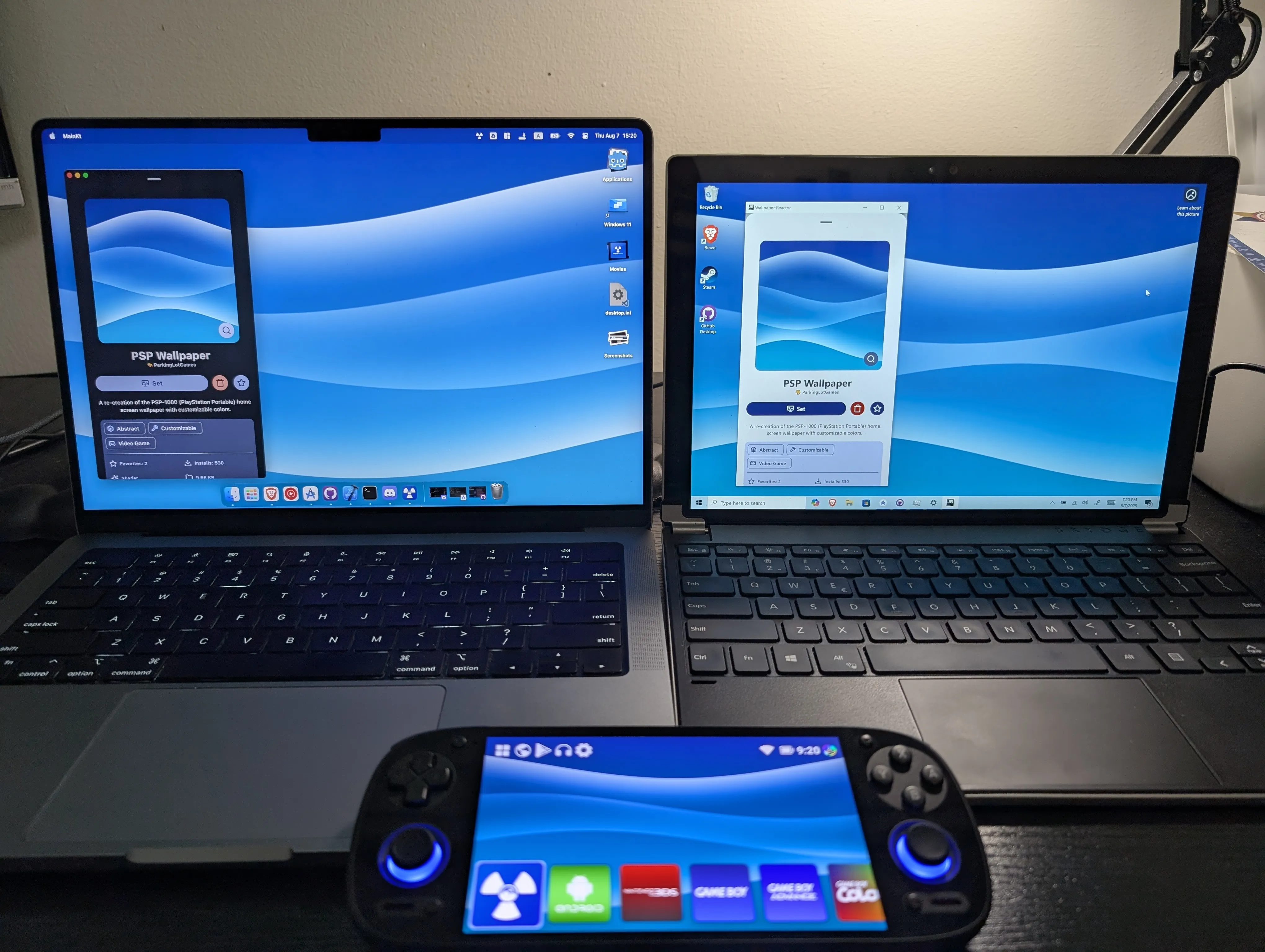
Make a free account and you can create a permanent wallpaper instead — one that’s saved properly, can be shared, and syncs to every device you sign in on. Set it up on your desktop and it’s waiting on your phone.
Do I need an account to set a video as my wallpaper?▾
No. Quick Wallpaper works straight away with no account and no internet connection. An account is only needed if you want to create a permanent wallpaper that syncs across your devices.
Does my video get converted or uploaded?▾
No. The file is copied into the app's own folder and played as it is. Nothing is re-encoded and nothing leaves your machine.
Will the wallpaper still be there after I restart?▾
Yes. A quick wallpaper stays applied until you replace it with another one.
Can I use a different video on each monitor?▾
Yes. If your device has more than one monitor, you choose which screen a quick wallpaper applies to, so each one can run its own.
Works on macOS, Windows and Android. No account needed to start.
Download Wallpaper Reactor